How to Watch Live
HOW TO WATCH REDNECK BRAWL LIVE
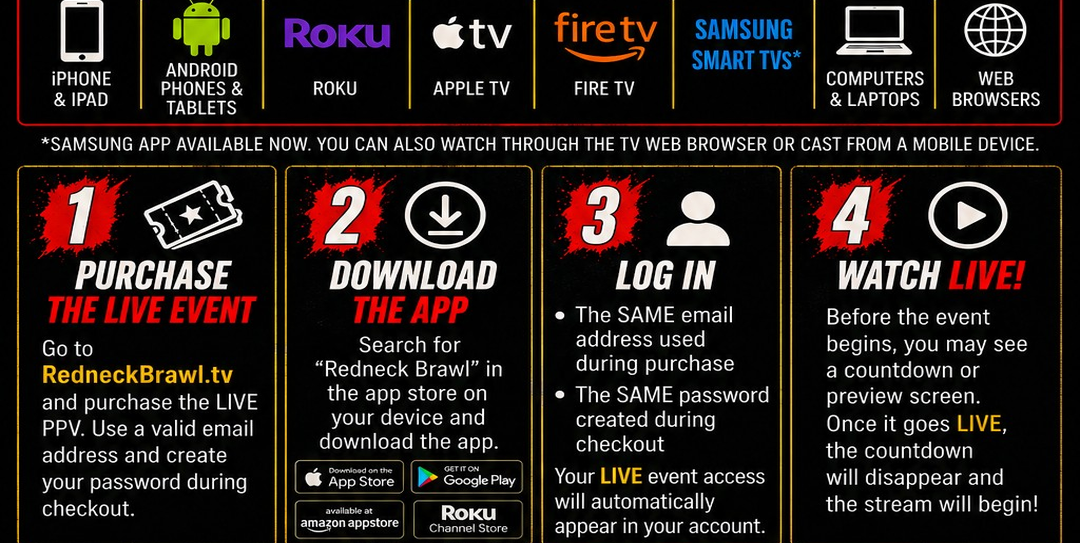
Watch LIVE on Almost Any Device
Redneck Brawl is available on:
iPhone & iPad
Android Phones & Tablets
Roku
Apple TV
Fire TV
Samsung Smart TVs (browser viewing supported)
Computers & Laptops
Web Browsers
STEP 1 — PURCHASE THE LIVE EVENT
Purchase the LIVE PPV at:
Use a valid email address and create your password during checkout.
STEP 2 — DOWNLOAD THE REDNECK BRAWL APP (OPTIONAL)
You can watch directly in your web browser OR through the Redneck Brawl app on supported devices.
Search for “Redneck Brawl” in:
Roku Channel Store
Apple App Store
Google Play Store
Amazon Fire TV App Store
Samsung TV Apps (coming soon)
STEP 3 — LOG IN
Open the app or website and log in using:
The SAME email address used during purchase
The SAME password created during checkout
Your LIVE event access will automatically appear in your account.
EVENT START TIME
Redneck Brawl 14 – Hillbilly Slugfest
Saturday, August 15
8 PM ET (pre-show 7:30PM ET)
BEFORE THE EVENT STARTS
Before the LIVE event begins, you may see a countdown timer or preview screen.
Once the event goes LIVE, the countdown will automatically disappear and the stream player will begin.
If the stream does not appear right away:
Refresh your browser
Restart the app
Make sure you are logged into the correct account
TROUBLESHOOTING
I Purchased But Cannot Watch
Try these steps:
Make sure you are logged into the correct account
Restart the app or refresh your browser
Verify you are using the same email used during checkout
Try watching directly from RedneckBrawl.tv in Chrome or Safari
Recommended Internet Speed
For best playback:
Minimum: 10 Mbps
Recommended: 25+ Mbps for HD streaming
Supported Browsers
We recommend the latest versions of:
Google Chrome
Safari
Firefox
NEED HELP?
Email: support@redneckbrawl.com
Include:
Your full name
Email used for purchase
Device you are watching on
Description of the issue